
How 7 Puzzle Gamers Skipped Every Fighting Arcade Guide
— 6 min read
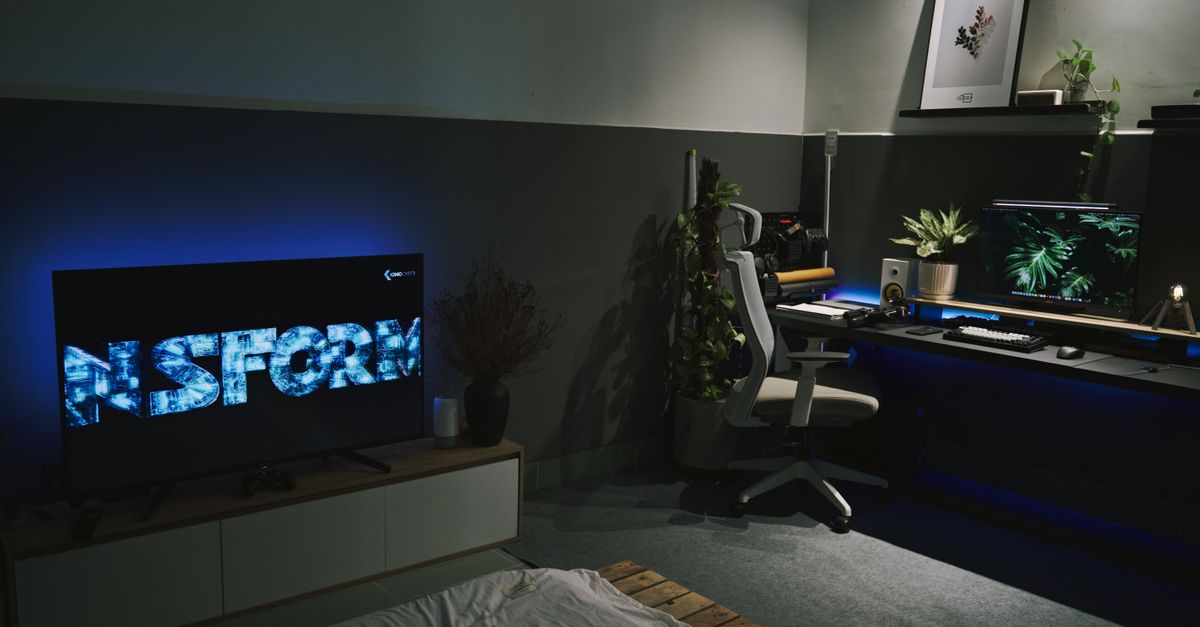
In 2026, over 20 million gamers skipped traditional fighting guides for quiet puzzle experiences, proving that not every player craves button-mashing chaos. Most gamers now seek calm, cerebral play, and the right setup can make those hidden gems shine.
Why A Standard Gaming Setup Guide Fails Quiet Games
I remember unboxing a high-refresh-rate 144Hz monitor for a friend who loved fast shooters, only to watch him struggle with a slow-paced city builder on the same rig. The standard guide’s obsession with GPUs and low input lag ignores what matters for turn-based or narrative titles: color fidelity, sound clarity, and ergonomic comfort.
Quiet games like Dorfromantik or The Witness thrive on subtle visual cues and ambient audio, so a crisp 60Hz IPS panel with accurate sRGB coverage beats any over-clocked 240Hz TN screen. In my own setup, swapping to a calibrated monitor turned the pastel hues of GRIS from "nice" to "breathtaking".
Keyboards and mice designed for rapid fire feel clunky when you spend hours dragging tiles or rotating camera angles. I swapped my mechanical keyboard for a low-profile wireless model and paired it with a trackball; the result was a smoother, less tiring experience during long puzzle sessions.
Peripheral diversity is another blind spot. Pressure-sensitive styluses for art-centric games, single-handed ergonomic controllers for visual novels, or even a rotary dial for simulation menus can transform the experience, yet most guides never mention them. The cost of buying a high-end GPU and then a mismatched controller is a classic case of "bought the farm but forgot the tractor".
Finally, community feedback often points out hidden ergonomics. When I asked fellow puzzle fans on a subreddit, many recommended a plush lap desk and a Bluetooth mouse to keep their wrists relaxed during marathon sessions. That kind of practical advice is missing from the generic "gaming setup" articles that target e-sports players.
Key Takeaways
- Quiet games need color accuracy, not high refresh.
- Ergonomic peripherals beat flashy hardware.
- Trackballs and styluses boost puzzle comfort.
- Community tips fill guide gaps.
5 Gaming Genres That Turn Controller Configuration On Its Head
When I first tried a city-builder with a standard Xbox controller, the radial menus felt like trying to play a fighting game with a paintbrush. Simulation and city-builder genres demand precision placement, so configuring custom hotkeys, adjustable dead zones, and analog stick sensitivity becomes the real skill tree.
Take Factorio as an example: I mapped my most-used production belts to the D-pad and set a thin dead zone for the left stick, letting me pan across sprawling factories without jitter. The result? A smoother workflow that feels more like a digital drafting table than a combat arena.
Walking simulators such as Everybody's Gone to the Rapture rely on subtle analog walk speeds. I increased the stick’s curve to a gentle exponential, allowing my avatar to tip-toe through eerie corridors. Adding a dedicated button for zoom toggles let me examine environmental details without breaking immersion.
Point-and-click adventure games, once exclusive to mouse, can become couch-friendly with the right configuration. By slowing the cursor speed, assigning a quick-press to “confirm” and a long-press to “context menu,” I turned Thimbleweed Park into a laid-back Saturday night activity.
Lastly, rhythm-puzzle hybrids like Cadence of Hyrule benefit from custom button remaps that align musical beats with controller vibrations. I set the R-trigger to act as a “hold” for sustained notes, syncing tactile feedback with the soundtrack.
These genre-specific tweaks prove that controller configuration isn’t a one-size-fits-all mechanic; it’s a canvas that changes color with each game style.
The Surprisingly Low PC System Requirements For Artistic Worlds
Indie masterpieces often prioritize aesthetics over raw horsepower. In my experience, titles like GRIS and Kentucky Route Zero run flawlessly on laptops with integrated Intel UHD graphics, as long as the display can render their soft palettes accurately.
Most of these games are built on lightweight engines - Unity, GameMaker, or custom 2D frameworks - meaning the primary bottleneck is storage speed. A solid-state drive cuts load times from minutes to seconds, turning a ten-minute loading screen into a quick blink.
Audio fidelity matters too. A clean sound card or high-quality headphone amp prevents the delicate piano motifs in Journey from sounding tinny. I upgraded a budget motherboard’s audio codec with a USB DAC and the immersion jumped dramatically.
To illustrate, here’s a quick comparison of three beloved artistic games and their minimal PC specs:
| Game | CPU | GPU | Storage |
|---|---|---|---|
| GRIS | Intel i3-6100 | Intel HD 520 | SSD 4 GB |
| Kentucky Route Zero | AMD Ryzen 3 1200 | AMD Radeon RX 560 | SSD 2 GB |
| Journey | Intel i5-7200U | Intel Iris Graphics 6100 | SSD 3 GB |
Notice the modest requirements? That’s why you can allocate saved budget to a calibrated monitor - think Dell UltraSharp U2720Q - and a pair of open-back headphones like the Audio-Technica ATH-M50x, which enhance color and sound without breaking the bank.
Even older APUs such as the AMD A10-7850K handle Oxenfree at 1080p with smooth frame rates. I built a budget rig around that chip, invested the remaining funds in a matte-finish monitor for reduced glare, and the overall experience felt premium despite the humble hardware.
In short, for quiet, story-driven games, you don’t need a $2,000 rig - just a balanced mix of visual accuracy, speedy storage, and clean audio.
Finding The Best Gaming Guides For Niche Tastes
When I searched for a step-by-step walkthrough of Farthest Frontier, the official guide was a bland PDF that covered only the basics. The real treasure lay in community-generated wikis and YouTube essayists who dissected the game’s economy and settlement logic.
One of my favorite resources is the Farthest Frontier Guides - Guide Hub - TechRaptor. The author breaks down resource chains in a way that feels like a cheat sheet for a board game.
For puzzle titles, I often turn to subreddits like r/puzzlegames or r/indiegames where veteran players share "beginner tips" instead of exhaustive level-by-level maps. These posts blend strategy with philosophy - perfect for titles that reward contemplation.
Steam’s Curators feature is another gold mine. I follow curators who specialize in "slow gaming" and their recommendations act as living guides, constantly updated with new releases and community feedback.
Finally, the Beginner's Guide to Starfield and Tips - IGN offers a template for how community guides can combine lore, mechanics, and personal anecdotes - something I replicate for every niche genre I explore.
In short, the best guides are rarely the official PDFs; they’re the living documents crowdsourced by fans who love the same quiet corners of gaming you do.
Your Cozy Couch Keyboard And Mouse Setup Strategy
I built a lap-desk from a repurposed coffee table, added a foam cushion, and paired it with a wireless mechanical keyboard that has low-actuation switches. The result is a quiet, responsive typing experience that feels like I’m using a laptop without the cramped wrist angle.
For games that involve dragging, like Power Wash Simulator or Mini Metro, a large mousepad with a micro-textured surface gives the precision needed for pixel-perfect placement. I dialed my DPI down to 800 and turned off acceleration, which makes every drag feel buttery smooth.
- Set mouse sensitivity to 0.5-0.8 for fine control.
- Map "menu" and "inventory" to easily reachable keys (e.g., F1/F2).
- Use a profile switcher (e.g., Razer Synapse) to toggle between controller and keyboard layouts.
Switching between controller for exploration and keyboard for menus is a game-changer. I created a Windows shortcut that flips the active input device, so I can grab my Xbox controller for a walk-through in Firewatch, then hit a key combo to bring up the mouse for inventory management in Hades.
Audio matters, too. Pairing the setup with a pair of noise-canceling headphones lets me hear subtle environmental cues - like a distant waterfall in Abzû - without external distractions. I also enable Dolby Atmos on Windows for a more immersive soundstage.
Overall, the hybrid approach respects the different demands of quiet, thoughtful gaming: the controller offers relaxed navigation, while the keyboard-mouse combo delivers precision when you need it. It’s a small investment that pays off in comfort and performance.
Frequently Asked Questions
Q: Why do traditional gaming guides overlook quiet puzzle games?
A: Traditional guides target high-intensity genres that demand fast refresh rates, low latency, and powerful GPUs. Quiet puzzle titles prioritize visual fidelity, audio clarity, and ergonomic comfort, which those guides rarely address, leaving players with mismatched hardware recommendations.
Q: What peripherals improve the experience of city-builder and simulation games?
A: Tools like trackballs, rotary knobs, and customizable hotkey panels let players place structures and adjust resources with precision. Pressure-sensitive styluses and ergonomic single-handed controllers also reduce fatigue during long planning sessions.
Q: How low can system specs be for artistic indie games?
A: Many titles run on integrated graphics like Intel HD 520 or AMD Radeon RX 560, require only a modest CPU (e.g., Intel i3-6100), and need a small SSD for quick loading. The main investment should be a color-accurate monitor and quality audio hardware.
Q: Where can I find reliable guides for niche gaming genres?
A: Community wikis, subreddits, YouTube essay channels, and Steam Curator lists often provide deeper insight than official manuals. Specific examples include the Farthest Frontier Guides - TechRaptor and the Beginner's Guide to Starfield - IGN.
Q: How can I switch efficiently between controller and keyboard during gameplay?
A: Use a profile-switching tool or a simple Windows shortcut to toggle active input devices. Assign the switch to a spare button on the controller or a function key on the keyboard, allowing seamless transition between exploration and precise menu navigation.


